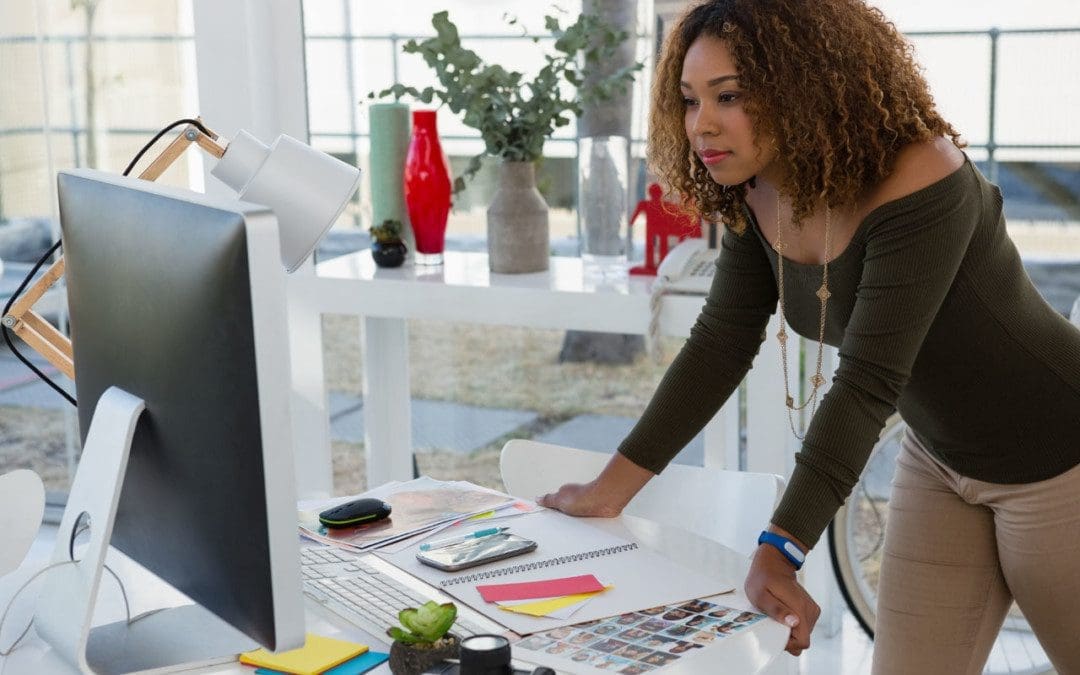
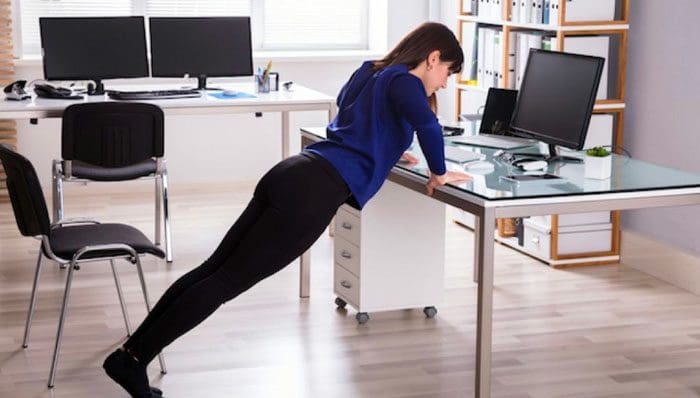
Changing positions and posture. Individuals who have to sit at a desk, workstation, or cubicle for most of the day increase their risk of back pain, contributing to other health issues. GetAmericaStanding.org reports the average adult sits for ten hours or more a day. Prolonged sitting at home and work without movement, physical activity, exercise can lead to issues like:
Pain
Irritability
Cardiovascular problems
Obesity
Diabetes
Long periods of inactivity are associated with increased mortality as sedentariness causes the same damage related to smoking and obesity. It can be challenging to find ways to remain active while sitting at work; this is where changing positions and posture, also known as dynamic sitting throughout the day, can help.
Changing Positions and Posture Throughout the Day
Constantly sitting in a chair means the body remains static, causing blood and energy circulation to slow down, stressing the body’s muscles. Changing the body’s positions regularly along with short periods of activity like standing up, walking around while on the phone, and stretching helps to work out the muscles and keep circulation at optimal levels.
The Importance of Changing Positions and Posture
The body was meant to move and requires movement to stay healthy.
Staying in one position for too long can lead to loss of core strength from the abdominal musculature becoming deconditioned. Muscle deconditioning leads to weakness and tightness. The imbalance affects the spinal support system leading to back, hip, and leg pain. Moving around and doing quick mini-workouts can help strengthen the body, increase core strength, improve posture, burn calories and prevent pain and injury.
The Basics
According to a 2018 study, researchers found improvements in cardiometabolic health among individuals that would stand up, sit less, and move more. Ways to adjust the work or home office to make changing positions and posture easier include.
Sit-stand desks can be raised and lowered throughout the day to change position regularly.
Treadmill desks are actual treadmills that are fitted with a desk so individuals can work and walk simultaneously.
These small changes and adjustments can make a big difference when experiencing body pain from too much sedentariness. However, it is crucial to know if other issues are causing the health problem/s. If back or any pain is associated with any of the following, consult a medical professional.
Trauma from an accident or injury.
Balance issues.
Weakness in the legs.
Infection.
Fever.
Unexplained weight loss.
Overflow urinary incontinence is when the bladder fills up and empties without feeling the need to urinate.
Severe constipation.
Body Composition
How to Read Blood Pressure Measurements
An individual’s blood pressure includes:
Systolic Blood Pressure
This is the first or top number listed on a blood pressure reading and is the measurement of the pressure that the blood exerts against the walls of the arteries.
A normal systolic reading should be less than 120 mm Hg.
Diastolic Blood Pressure
This is the second number that measures the force of the blood against the artery walls when the heart is resting between beats.
A normal diastolic reading is less than 80 mm Hg.
Pulse
The pulse is the number of beats per minute the heart is beating.
A normal adult pulse is between 60 to 100 beats per minute.
When checking blood pressure, a doctor will read out a vital sign in the normal range of 120/80 mmHg or below. Anything above that could be an indication of an underlying health condition.
References
“Ergonomics for Prolonged Sitting.” The University of California at Los Angeles, Los Angeles, CA. https://www.uclahealth.org/spinecenter/ergonomics-prolonged-sitting
“Workplace sitting is associated with self-reported general health and back/neck pain: a cross-sectional analysis in 44,978 employees.” BMC Public Health, London, UK. May 2021. https://pubmed.ncbi.nlm.nih.gov/33957889/
“Active Sitting Guide: 6 Reasons To Really Consider It.” The Ergonomics Health Association. (n.d.) https://ergonomicshealth.com/active-sitting-guide/
“Cardiometabolic Impact of Changing Sitting, Standing, and Stepping in the Workplace.” Medicine & Science in Sports & Exercise, Indianapolis, IN. March 2018. https://oce.ovid.com/article/00005768-201803000-00015/HTML
“Reducing occupational sitting time and improving worker health: the Take-a-Stand Project, 2011.” Preventing Chronic Disease, Atlanta, GA. 2012.
“Office exercise: Add more activity to your day.” The Mayo Clinic, Rochester, MN. October 2019. https://www.mayoclinic.org/healthy-lifestyle/adult-health/in-depth/office-exercise/art-20047394
“The Tools: Put an End to Your Sedentary Lifestyle.” Ergotron, St. Paul, MN. (n.d.). https://www.juststand.org/the-tools/
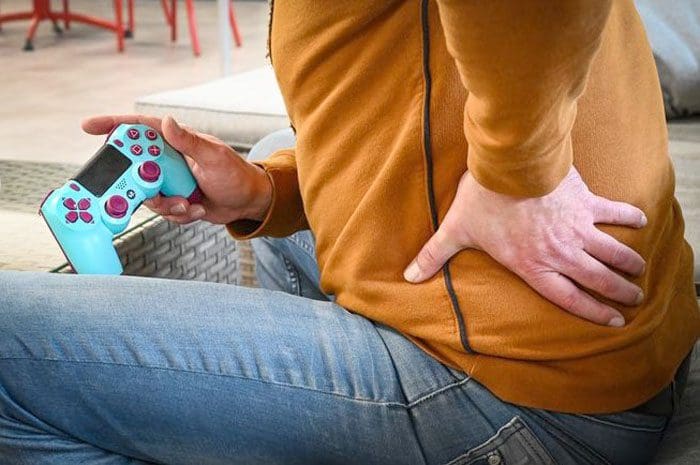
Video gaming has grown to over 150 million individuals in the United States playing. Around 60% of Americans play video games every day, with the average gamer being 34 years old. Playing video games for an extended amount of time takes a toll on the body. Individuals are experiencing the same kind of pains and aches from sitting and standing all day at work or school. Sitting positions, holding the controllers, and the different accessories can impact the nerves, muscles, and Posture. E-sports professionals understand the physical toll their bodies take with constant practice, tournaments, clinics, etc. They do cardiovascular conditioning, strength train, and stretch to improve their gaming abilities and also take into account:
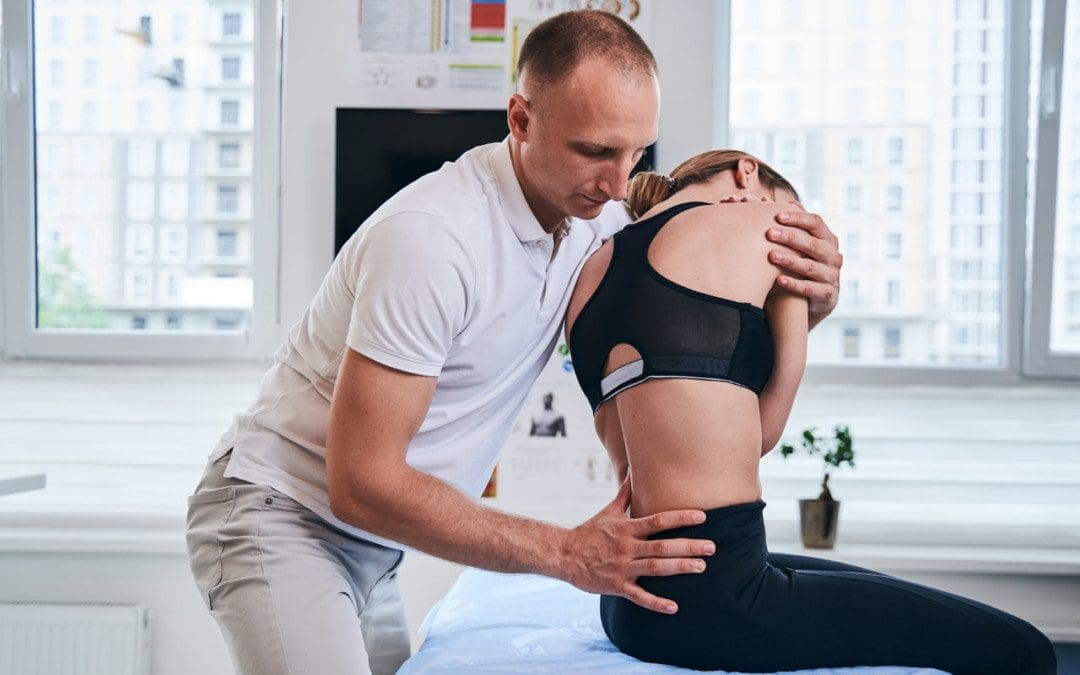
Taking steps can prevent strain, injuries and minimize the risk of long-term damage. If strain and injuries are present, professional chiropractic treatment can help alleviate the pain, rehabilitate/strengthen the muscles, ligaments, tendons, and recommend exercises and stretches.
Video Gaming Posture
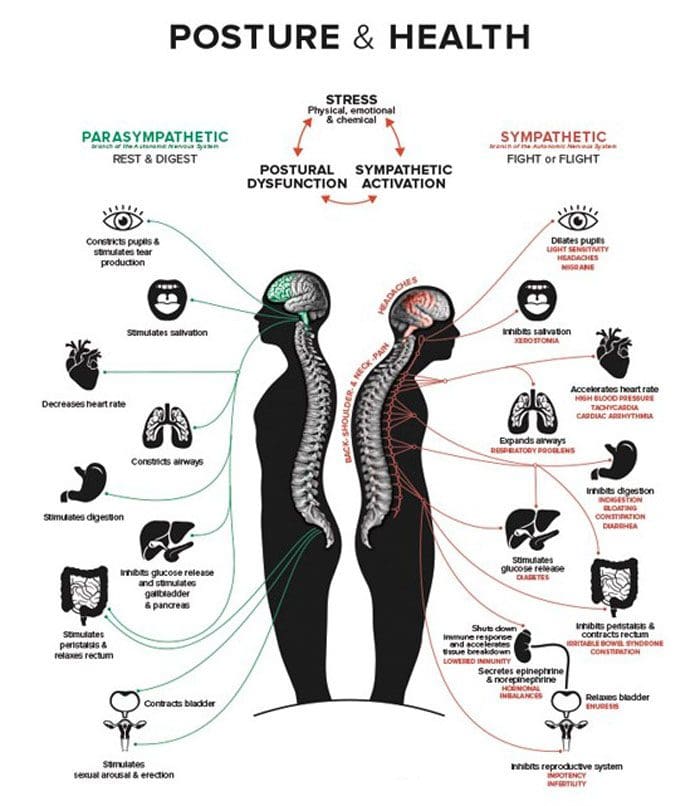
Proper Posture is vital to maintaining spinal as well as overall health. Poor Posture is the most common cause of back and neck pain.
Video Gaming Positions
Common gaming positions include the couch slouch where the gamer is slumped back into the couch with their feet up. This can lead to low back pain and sciatica. The full-on position is where the individual leans forward, elbows on their knees, head tilted forward, and staring up at the screen. Hours in these positions cause the neck, back, and other body areas to stiffen, generating soreness from the restricted movement. Many gamers use ergonomic gaming chairs. They have found that using the gaming chair improves Posture, eliminating the forward head and rounded shoulders. Gaming chairs can provide the health benefit of sitting correctly, reducing and eliminating neck and back tension or strain.
Injuries and Health Issues
Common musculoskeletal issues caused by excessive gaming and lack of movement include:
Eyestrain
Headaches
Neck pain
Elbow, arm, wrist pain
Thumb pain
General hand pain
Carpal tunnel syndrome
Postural stress
Back pain
Chiropractic Treatment
Shoulder Massage
The intensity of gaming can cause the shoulders to tense up and stiffen. When using the controller, the shoulders can slightly lift, building up lactic acid, interrupting blood circulation, causing an accumulation of unwanted toxins inflaming trigger points. A chiropractic massage will release tightened muscles, provide relaxation, and increase the blood flow.
Hand and Wrist Treatment
The most used body parts for video games include the hands and wrist. Individuals grip the controllers or constantly use the keyboard and mouse. No matter what form of input is used, prolonged use can cause hand and wrist injuries. Injuries include:
Inflammation
Hand muscle aches
Chiropractic focuses on specific areas to help treat the body through a hand and wrist massage. Advanced techniques include electrical muscle stimulation to help stimulate and loosen the muscles. A chiropractor will recommend stretches and exercises, and hand/wrist supports, guards, or special gloves to alleviate muscle pains while still playing.
Neck and Back Adjustments
Poor posture can result in a misaligned spine or back muscle spasms. During extended game sessions, pain and fatigue can begin to present. A chiropractic adjustment can realign the muscles and set them back in place. The tissue surrounding the neck may thicken and focus on a specific area. Leaning too far forward or using a heavy gaming headset can result in a forward head posture placing a constant strain on the neck. Chiropractic adjustments will loosen the tissue and release any tension. Stretches and exercises will be recommended as well.
Body composition refers to how various substances in the body are proportioned. A few examples of the components that make up the body include:
Water
Protein
Fat
Minerals
All of these components generate balance in the body. When individuals exercise, they begin to notice changes in their body composition. For individuals that exercise regularly, it is vital to track weight gain, weight loss, and changes in body composition. This is to ensure that they aren’t losing muscle mass. As individuals exercise, muscle fibers are torn. During the recovery process, muscles are rebuilt. Overtraining can lead to muscle mass reduction because the body cannot catch up and rebuild the number of muscle fibers, eventually leading to lost muscle.
References
Emara, Ahmed K et al. “Gamer’s Health Guide: Optimizing Performance, Recognizing Hazards, and Promoting Wellness in Esports.” Current sports medicine reports vol. 19,12 (2020): 537-545. doi:10.1249/JSR.0000000000000787
Geoghegan, Luke, and Justin C R Wormald. “Sport-related hand injury: a new perspective of e-sports.” The Journal of hand surgery, European volume vol. 44,2 (2019): 219-220. doi:10.1177/1753193418799607
McGee, Caitlin, et al. “More Than a Game: Musculoskeletal Injuries and a Key Role for the Physical Therapist in Esports.” The Journal of orthopedic and sports physical therapy vol. 51,9 (2021): 415-417. doi:10.2519/jospt.2021.0109
McGee, Caitlin, and Kevin Ho. “Tendinopathies in Video Gaming and Esports.” Frontiers in sports and active living vol. 3 689371. 28 May. 2021, doi:10.3389/fspor.2021.689371
Zwibel, Hallie et al. “An Osteopathic Physician’s Approach to the Esports Athlete.” The Journal of the American Osteopathic Association vol. 119,11 (2019): 756-762. doi:10.7556/jaoa.2019.125
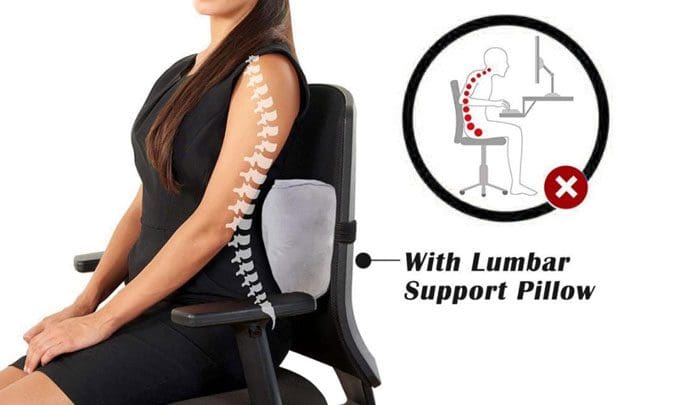
The low back is made up of five vertebrae, L1 to L5. Pain in the low back is common, specifically because of all the sitting at work, school, and home. Individuals dealing with low back pain know how difficult it can be to sit without discomfort and have found that a low back support pillow can help.
Low Back Support Pillow
A lumbar pillow is a pillow that supports the low back region of the spine. Different types include:
Specially shaped pillows made from materials like memory foam.
Lumbar pillows can be used on any chair at the office or home.
They are also helpful for travel with small-sized versions that can be packed and easy to carry.
How Lumbar Pillows Help
According to the CDC, the average adult spends around 6.5 and 8 hours a day sitting. Constant sitting hurts the body, specifically the spine and the back muscles, and is a significant cause of muscle stress. Properly supporting the low back helps remove the stress and strain. A low back support pillow can help correct sitting posture.
Pillow Options
There are plenty of options for low-back support pillow shapes, sizes, fillings, and materials. These include:
Some look like a half-cylinder in shape, rectangular, and curved.
Personal preference and comfort are different for everybody, and it could take some trial and error to find the right lumbar pillow. Some pillows are customizable, allowing the ability to add or remove filling as needed. Talking with a spine specialist, orthopedist or chiropractor can help in figuring out what type is best. Pillows come in various price ranges, with some at $10-15, while others can cost $100 or more. However, any pillow that provides enough support for the low spine’s natural curvature can work. It is important to be comfortable and supported to prevent pain and injury no matter where you sit.
Body Composition
Fermentable and Nonfermentable Fiber
The entire body can host trillions of beneficial bacteria. The majority live in the intestines and are referred to as the gut microbiome. Also known as the forgotten organ, these bacteria have a say in the body’s composition and overall health. The beneficial bacteria thrive on fermentable fiber, and fermentation in the gut produces short-chain fatty acids like:
These help suppress gut inflammation and can reduce the risk of various digestive disorders like:
Irritable bowel syndrome
Crohn’s disease.
Ulcerative colitis.
Foods that are rich in fermentable fibers include:
Oats
Barley
Fruit
Vegetables
Cereal fibers that are rich in cellulose, like wheat bran, are nonfermentable.
References
“What is Memory Foam?” Sleep Foundation, Seattle, WA. August 2020. https://www.sleepfoundation.org/mattress-information/what-is-memory-foam
“Association Between Sitting Time and Cardiometabolic Risk Factors After Adjustment for Cardiorespiratory Fitness, Cooper Center Longitudinal Study, 2010–2013.” Centers for Disease Control, Atlanta, GA. December 2016. https://www.cdc.gov/pcd/issues/2016/16_0263.htm
“Ergonomics for Prolonged Sitting.” The University of California at Los Angeles, Los Angeles, CA. https://www.uclahealth.org/spinecenter/ergonomics-prolonged-sitting
“Workplace sitting is associated with self-reported general health and back/neck pain: a cross-sectional analysis in 44,978 employees.” BMC Public Health, London, UK. May 2021. https://pubmed.ncbi.nlm.nih.gov/33957889/
Posture exercises: It is easy to get into the bad habit of poor/improper posture, especially at work where an individual gets into a groove and continues without thinking about their posture. Not until discomfort and pain begin to present do individuals start thinking about what is causing the issues. This usually includes:
Back pain
Shoulder pain
Neck pain
Tight/Compressed spine
They don’t realize that all these issues are brought on by prolonged sitting and practicing improper posture. Individuals that practice proper posture:
Sleep better
Move better
Have reduced to no aches and pains
Digestion improves
Organ function improves
Have better overall health
Being aware of proper posture is the first step in being able to maintain it. When you feel the spine starting to curve, shoulders hunching, or the back sway, stop and take a moment to reposition the body back into proper alignment.
Seated Posture
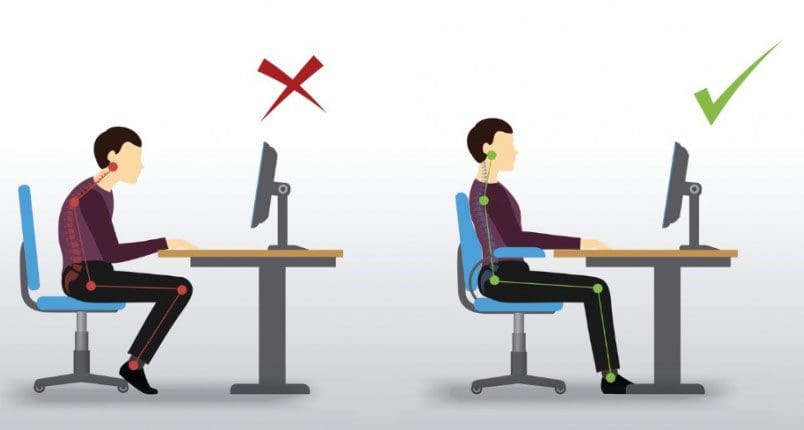
Proper posture means sitting, standing, or walking in a position with little to no strain on the body’s muscles and ligaments. Good seated position means:
Sitting with the back straight and shoulders back.
Having all of the natural curves of the spine in alignment.
Keeping the knees bent at a right angle with the feet flat on the floor.
The weight is distributed evenly to both hips.
Keep the arms at 90 degrees to the torso, using the armrests or on a desk.
When looking at a computer monitor, keep it at a position where you are looking straightforward.
Use a chair with lower back support.
Even when sitting with good posture, it’s important to avoid sitting in the same position for more than 30 minutes.
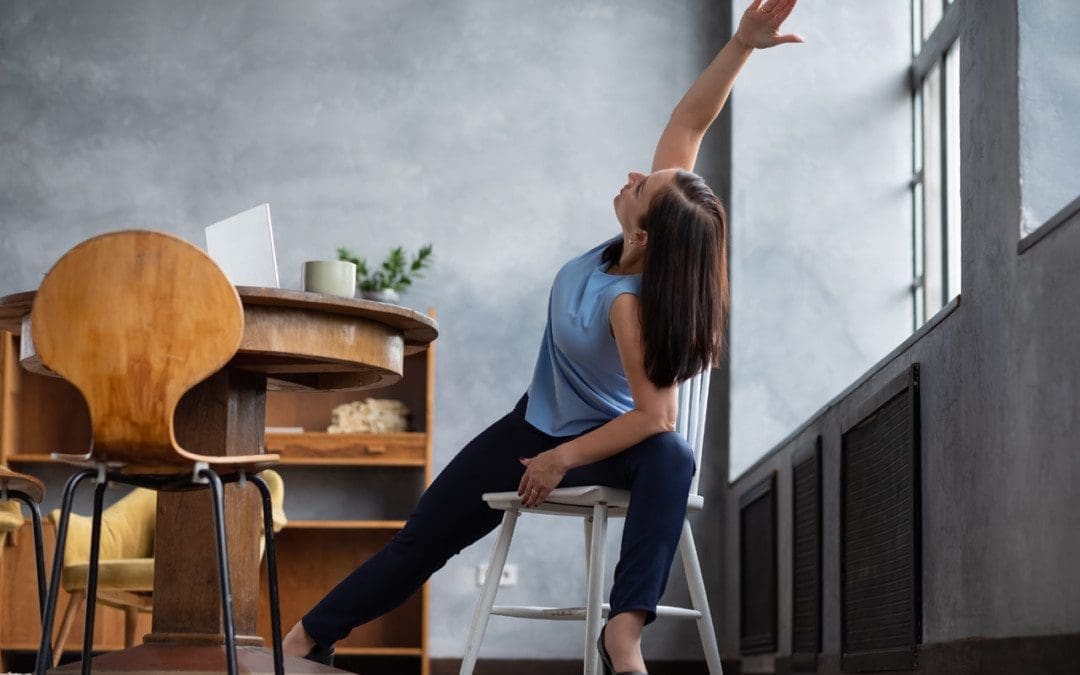
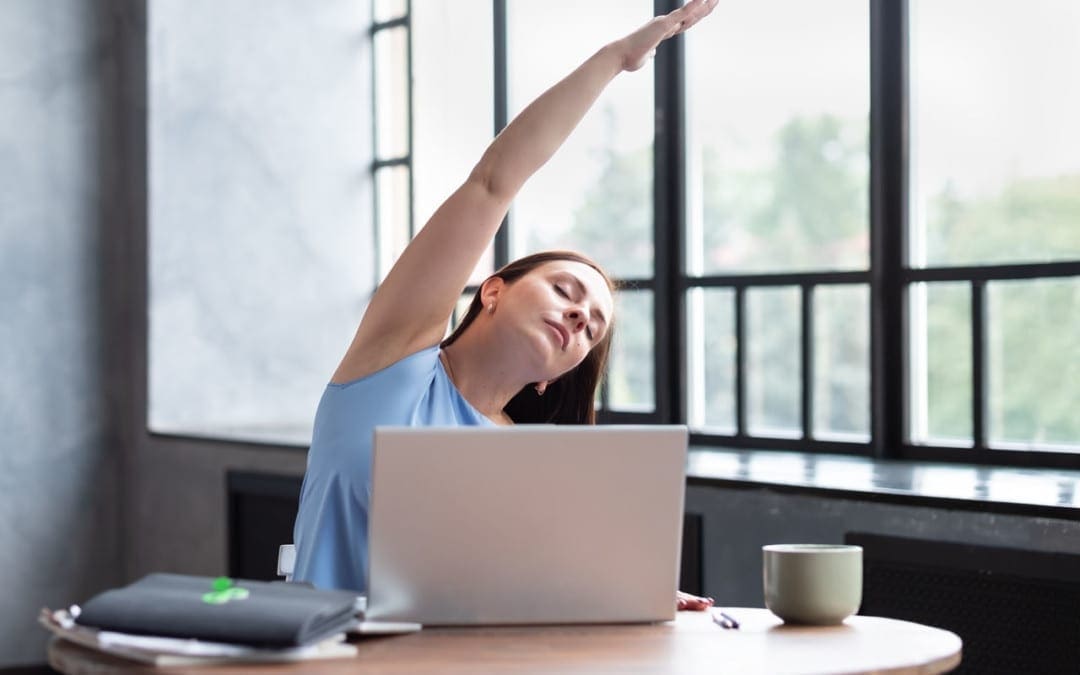
Regularly stand up, walk around, and stretch out.
Posture Exercises
Posture exercises will help to strengthen the back, neck, and shoulders. They also help as a reminder for maintaining good posture throughout the day.
Shoulder Lift and Release
When sitting down for long periods, individuals tend to develop hunched shoulders. It is caused by an imbalance of muscles in the neck and upper back. Specific muscles in the neck, specifically the pectoralis major and minor, become shortened and tight. The other muscles in the upper back, the trapezius,latissimus dorsi, and rhomboids, weaken and stretch out. These muscles can be stimulated by stretching throughout the day.
Sit in your chair with your feet flat on the floor and spine straight.
Pull the shoulders up towards the ceiling.
Hold them there for three to five seconds.
Let the shoulders drop.
It is recommended to repeat 5 to 6 times every hour.
Shoulder rolls
Another exercise for avoiding rounded/hunched shoulders.
Sit in your chair with your feet flat on the floor and spine straight.
Take a breath in.
Lift the shoulders towards the ears.
Move the shoulders back.
Squeeze the shoulder blades together.
On the exhale, finish the rotation by dropping the shoulders back to a neutral position.
Repeat 5 to 6 times every hour.
The exercise can be done in the opposite direction.
Neck rolls
Forward head posture, aka text neck, can develop. Neck rolls are recommended throughout the day.
Lean your head towards the right shoulder.
Relax the neck and let your head roll towards your chest.
Continue rolling your head towards the left and up and around back to the starting position.
Perform at least 3-4 neck rolls every few hours.
Repeat the exercise and change direction.
Trapezius stretch
The trapezius is a major muscle group in the upper-middle section of the back and the neck. The trapezius is responsible for moving the shoulder blades and extending the neck. Stretching these muscles regularly will help maintain good posture.
Sit in your chair with the spine straight and feet flat on the ground.
Place the right hand over the top of your head.
Gently pull your head towards the right shoulder.
Perform one to three times for each side.
Hold the pose for 30 to 60 seconds.
Arm rotations
This exercise can help maintain back and shoulder alignment. This can be performed sitting or standing.
Stretch out the arms to the sides with palms facing downward.
While keeping the spine straight, move the arms in small circles.
Perform ten repetitions rotating the arms forward, then backward.
Perform 3-4 sets.
Doing these posture exercises at your workstation regularly will help improve and maintain proper posture and minimize the risk of back, neck, and shoulder pain.
Body Composition
Fitness for Long-Term Health
Muscle building isn’t only for bodybuilders and athletes. Everyone can benefit from building their Lean Body Mass for long-term health. It is crucial to monitor Lean Body Mass changes by having body composition measured. Body composition analysis divides the body’s weight into various components.
Fat Mass
Lean Body Mass
Basal Metabolic Rate
This will give a clearer picture of overall fitness and health.
Building Lean Body Mass is an investment in the body’s future. The more LBM that is built, the more is in reserve when the body needs it. But before adding protein shakes and resistance workouts to the daily regimen, there needs to be a plan. The first step to building healthy lean body mass is to measure how much there is with a body composition analysis.
References
Biswas A, Oh PI, Faulkner GE, et al. Sedentary Time and Its Association With Risk for Disease Incidence, Mortality, and Hospitalization in Adults. Ann Intern Med. 2015;162:123-132. doi:10.7326/M14-1651. Accessed January 7, 2017.
Ergonomics for Prolonged Sitting. UCLA Spine Center Web site. http://spinecenter.ucla.edu/ergonomics-prolonged-sitting. Accessed January 7, 2017.
Florido R, Michos E. Sitting Disease: Moving Your Way to a Healthier Heart. U.S. News & World Report. http://health.usnews.com/health-news/patient-advice/articles/2015/09/14/sitting-disease-moving-your-way-to-a-healthier-heart. Published September 14, 2015. Accessed January 7, 2017.
Fortner, Miles O et al. “Treating ‘slouchy’ (hyperkyphosis) posture with chiropractic biophysics®: a case report utilizing a multimodal mirror image® rehabilitation program.” Journal of physical therapy science vol. 29,8 (2017): 1475-1480. doi:10.1589/jpts.29.1475
Levine JA. What are the risks of sitting too much? Mayo Clinic Web site. http://www.mayoclinic.org/healthy-lifestyle/adult-health/expert-answers/sitting/faq-20058005. Published September 4, 2015. Accessed January 7, 2017.
O’Connor B. Sitting Disease: The New Health Epidemic. The Chopra Center Web site. http://www.chopra.com/articles/sitting-disease-the-new-health-epidemic. Accessed January 7, 2017.
Wolfe, Robert R. “The underappreciated role of muscle in health and disease.” The American journal of clinical nutrition vol. 84,3 (2006): 475-82. doi:10.1093/ajcn/84.3.475
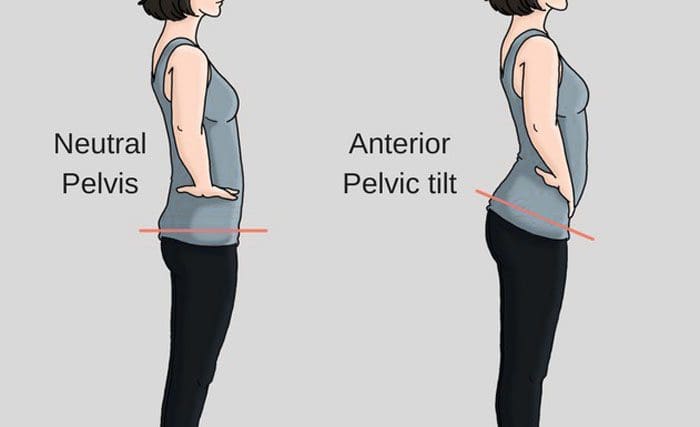
APT is short for anterior pelvic tilt. APT is when the pelvis tilts more down than forward, which can cause strain on the surrounding muscles and the spine to hold the torso up. The body’s own anatomical structure causing the condition and/or part of a bad habit that an individual has grown accustomed to. This can be from injury/s, back, and/or hip pain causing an individual to take on awkward postures to compensate for the discomfort and try and avoid it. However, these unhealthy postures cause their own set of musculoskeletal problems. Addressing this form of poor posture can help reduce and alleviate low back and hip pain and prevent further injuries. Chiropractic can pinpoint an anterior pelvic tilt and fix it.
Anterior Pelvic Tilt
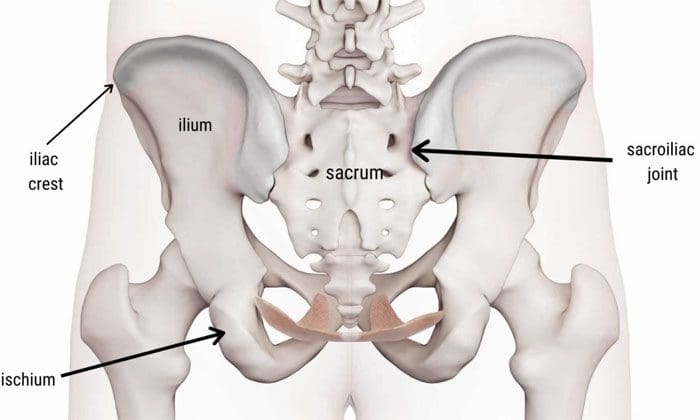
What happens is the pelvis becomes tilted or rotated forward. Place the hands, specifically the fingertips, on the hips. There are bone ridges. These are the iliac crests. If they’re facing more toward the ground than directly forward, this could be an anterior pelvic tilt. It usually happens when the hip flexors become tight and pull the pelvis down. Another contributor is the glute and hamstring muscles have weakened and are not strong enough to counteract the forward pulling. This can be caused by sitting for long periods, poor posture, and for women who wear high heels regularly. These contribute to tightening the hip flexors and the glutes, hamstrings, and core muscles.
An anterior pelvic tilt causes an increase in the curve of the lower back. It can feel like the hip flexors are tightening up. It typically affects the lower back at the lowest two levels, which are L4-5 and L5-S1. There can be long-term issues if an anterior pelvic tilt is left untreated. The spine becomes more vulnerable to disc issues that can include:
An anterior pelvic tilt is a repairable condition. Several exercises can help loosen/relax the hip flexors and strengthen the core and posterior muscle chain. This in addition to walking and reducing wearing high heels regularly. A few exercises for anterior pelvic tilt.
The Tail Tuck
This is literally trying to tilt the tailbone forward, like tucking in an imaginary tail. This can be done for 10-12 reps and up to 3 times.
Plank
Core-strengthening exercises can help with all types of back and hip problems. If possible, do the exercises in front of a mirror to ensure no arching of the back or the butt sticking out. If it is too difficult on the hands, go to the elbows. If there are wrist or shoulder issues, planks can be done on a raised surface, like a table or couch. Hold as long as possible, maintaining proper form. Start with 10-30 seconds and build up to minutes.
Strengthening the Glutes
It is recommended to strengthen the glute muscles. This can be done with exercises like clams or side-stepping with resistance bands. For clams, lie on the side and raise each leg up and down 10-12 times, up to 3 sets. For side-stepping, place resistance bands around the ankle/shin area and step to the side for 8-10 steps. Then go the other direction for the same number of steps. Repeat up to 3 sets.
Hip Flexor Stretch
Lunge forward while standing or lunge and kneel with the other leg on the ground. Then move the torso back a little and engage the core to stretch the hip flexors in the front of the thigh/pelvis area. Hold for 30 seconds, then release. Repeat 3-5 times per leg.
Lifestyle
These exercises can help, but if there is no progress around a month, contact a qualified chiropractor or physical therapist for further instruction and supervision. Also, if any neurological symptoms present like:
Sciatica
Shooting pain
Numbness
Tingling
Weakness
See a doctor as soon as possible.
Fixing posture-related problems require individuals to learn to be posture aware along with making some lifestyle adjustments. One way to do these exercises is to tack them onto a workout. Also, set reminders on a calendar to get up, stretch, and move around if sitting most of the day.
Body Composition Health
Difference between Processed sugar and Natural sugar
There are different types of sugar. There are natural sugars that are found in:
Fruits
Vegetables
Nuts
Whole grains
Beans
All sugar is broken down into glucose. However, foods that contain natural sugar are also rich in nutrients, including:
Vitamins
Minerals
Fiber
Protein
All which the body requires for optimal health.
Natural sugar does not lead to excess sugar intake; it happens with processed sugar. Processed sugar is extracted from sugarcane or sugar beet and is normally found as sucrose. This is present in cakes, cookies, cereal, and beverages. Processed sugar is also hidden in foods that are not sweet, like:
Microwave meals
Spaghetti sauce
Low-fat yogurt
Ketchup
Sports drinks
Foods that contain processed sugar are an energy source, but they contain little or no nutrients and can cause blood sugar levels to spike. In addition, consuming too much sugar is linked to an increased risk of:
Diabetes
Accelerated aging
Weight gain
Research has found that added sugar contributes to around 17% of the total calorie intake for adults. The recommended daily amount of calories from added sugar is 10%.
References
Azaïs-Braesco, Véronique et al. “A review of total & added sugar intakes and dietary sources in Europe.” Nutrition journal vol. 16,1 6. 21 Jan. 2017, doi:10.1186/s12937-016-0225-2
Centers for Disease Control and Prevention (CDC). (May 2020) “Acute Low Back Pain” https://www.cdc.gov/acute-pain/low-back-pain/index.html
National Institute of Neurological Disorders and Stroke. (March 2020) “Low Back Pain Fact Sheet” https://www.ninds.nih.gov/Disorders/Patient-Caregiver-Education/Fact-Sheets/Low-Back-Pain-Fact-Sheet
Orlando Health. (2019) “Bad Posture Often to Blame for Chronic Pain and Health Issues, But Survey Finds Too Few Americans Are Concerned” https://www.orlandohealth.com/content-hub/bad-posture-often-to-blame-for-chronic-pain-and-health-issues
Remote working and learning have changed the way we operate, but too much sitting and no physical activity is the perfect set up for back pain. Here are a few tips for spine friendly remote working and learning. Spine-health is just as important working or learning remotely, if not more so because it is easy to fall into bad posture habits that will affect the spine. Poor home working/learning habits can cause upper and lower back pain that could become chronic.
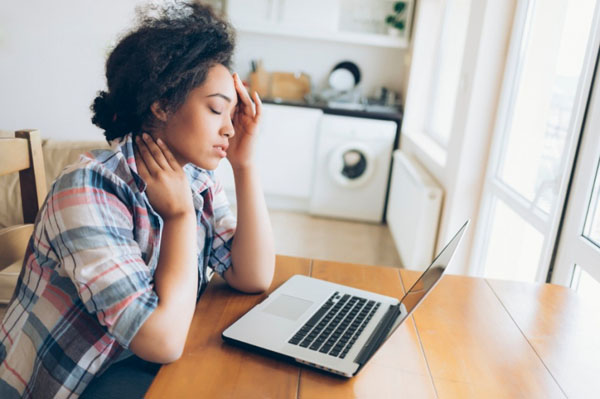
Individuals become too comfortable making the home working environment a damaging experience on spinal health. For chiropractors, the pandemic brought an influx of individuals of all ages with upper, middle, and lower back pain. This was caused by poor posture when video conferencing on the couch, slouching at the table and sitting for way too long, and never getting up and moving around.
Children tend to present with pain and aches on the side of the spine versus pain directly centered. This is from side slouching, often when staring at the computer monitor. Adults, especially over 40 complained of pain and stiffness in the upper and lower back. Herniated discs, degenerative disc disease, and sciatica risks increase as bad habits continue and do not improve. However, this can all be helped with a little exercise, work/school space optimization, and forming healthy work and schooling from home habits.
Stretching Out
When working/schooling remotely, there�s a tendency to be more sedentary. Individuals need to learn to take time to stretch out and keep the body limber. It is easy to use breaks to scroll through social media or binge on movies, videos, etc. This can still be accomplished, but stretch out and move around while taking breaks. An exercise program of stretching daily during the workday and endurance training twice a week will help reduce back pain and increase flexion. Results vary for everyone and the type of stretching exercises they are performing.
Core Exercises
Core exercises are a perfect way to work out muscle stress and back pain resulting from poor posture. Slumped over a computer can place significant stress on the trapezius muscle causing the muscle to knot up and tighten. The trapezius muscle is crucial to neck and shoulder movement and helps stabilize the shoulder blades.
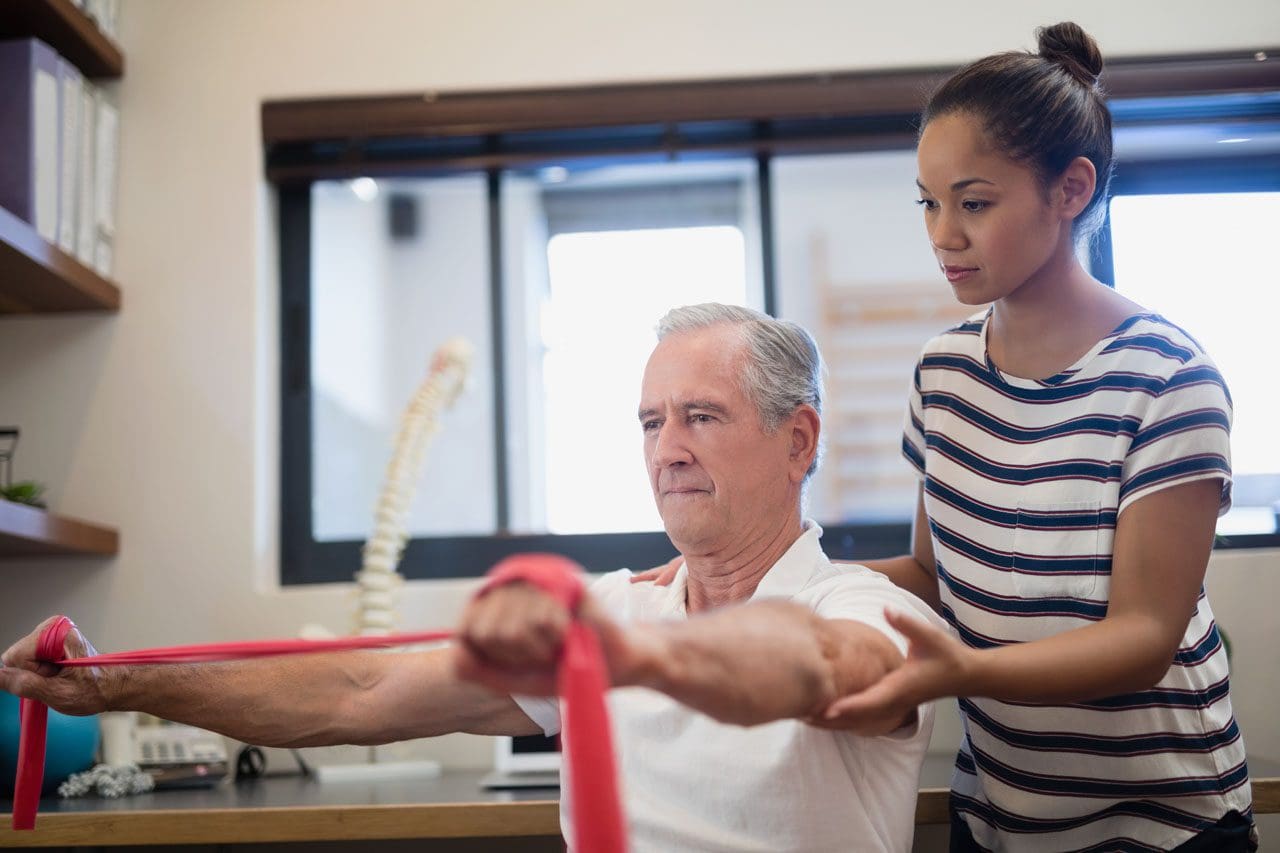
Trapezius stretch with band
Holding an elastic band between the hands, place the band at the back of the skull.
Slowly tilt the head back to its full range of motion as the resistance is felt.
Return the head back to the neutral position maintaining alignment with the spine.
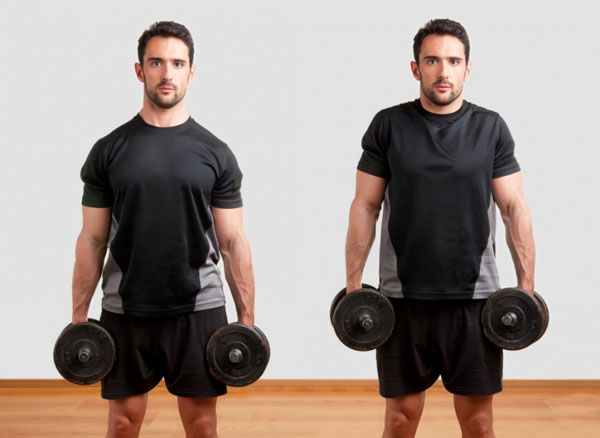
Choose 2 items of equal weight such as 2 books, 2 quarts of water, or 2 hand weights, and hold one item in each hand.
Position keeping hands near your sides
Slowly raise up and shrug your shoulders for several seconds
Gently release shoulder shrug and bring back arms to neutral
Repeat for 10 reps
Posture
Proper posture is a learned process that requires practice. Using a mirror to check posture can help maintain proper posture while seated when working/schooling. Self-assessing posture correctly is important and viewing oneself in a mirror is an easy way to figure out what adjustments are needed. Questions to ask oneself while self-assessing include:
Is the head far too forward?
Is there slouching?
Are the shoulders curling/rounding around the body?
Posture tips when seated:
Keep the feet flat on the floor or on a footrest
If in the habit of crossing ankles and knees change position often
Position the back against the chair. If the spine does not align with the chair use a cushion or backrest
Position knees at hip height or a little lower
Maintain some space between the back of the knees and the chair�s edge
Look straight ahead but make sure the neck is comfortable
Position forearms parallel to the floor
Maintain relaxed shoulders
Adjust the Light
When lighting is not optimal there can be a tendency to strain forward in various positions. This can cause excessive stress and inflammation to the upper spine area. Natural ambient lighting is recommended. In general, the lighting set-up should be adjusted to easily see the screen without causing glare or any type of discomfort to the eyes.
Take a Walk
A daily routine that will support spine health is to take walk breaks every half hour for a few minutes. If every half hour is not doable then take a 5 or 10-minute break to walk around and stretch every hour. It is important not to remain seated for too long. Remember the body was meant to move and be active.
Optimization Work Station
Using ergonomic office furniture for home use can help prevent the development of unhealthy posture along with the development of further musculoskeletal issues. Laptops are great for their portability and ability to work-from-anywhere. However, actually placing them on your lap and working on them for too long will cause back and neck strain. It is difficult to position the keyboard and screen for maintaining a proper line of sight and hand position.
The most spine-healthy way to work on a laptop is to position the screen at eye level with the keyboard level with slightly extended hands. A recommended long-term solution is using a screen and keyboard that can be adjusted. One type of computer set up is an iPad positioned at eye-level with a stand and a wireless external keyboard/mouse on a table or desk.
A lot of money does not have to be spent on the setup. Books or boxes laying around the house can be used to prop up the screen to the proper height. The goal is when working/schooling remotely is to ensure the body is not hunched over, bent, or straining forward and to maintain proper posture with optimal spinal alignment.
There are unique spinal health challenges when working/learning remotely. However, they can be avoided with a little planning and small adjustments.Taking time to stretch, do a little exercise, walk around the house, have adequate lighting, and making some ergonomic desk, chair, and computer changes that will help maintain a healthy spine.
Back Pain Rehabilitation
Dr. Alex Jimenez�s Blog Post Disclaimer
The scope of our information is limited to chiropractic, musculoskeletal, physical medicines, wellness, and sensitive health issues and/or functional medicine articles, topics, and discussions. We use functional health & wellness protocols to treat and support care for injuries or disorders of the musculoskeletal system. Our posts, topics, subjects, and insights cover clinical matters, issues, and topics that relate and support directly or indirectly our clinical scope of practice.*
Our office has made a reasonable attempt to provide supportive citations and has identified the relevant research study or studies supporting our posts. We also make copies of supporting research studies available to the board and or the public upon request. We understand that we cover matters that require an additional explanation as to how it may assist in a particular care plan or treatment protocol; therefore, to further discuss the subject matter above, please feel free to ask Dr. Alex Jimenez or contact us at 915-850-0900. The provider(s) Licensed in Texas& New Mexico*
References
Moretti A, Menna F, Aulicino M, Paoletta M, Liguori S, Iolascon G. Characterization of Home Working Population during COVID-19 Emergency: A Cross-Sectional Analysis.�Int J Environ Res Public Health. 2020;17(17):6284. Published 2020 Aug 28. doi:10.3390/ijerph17176284
Companies are doing what they can to keep operations moving and workers employed. Those that are able to work-from-home are doing so. But working from home is new to many and creates new challenges of converting an area in the house, apartment, etc, to become the workspace.
Back pain is common whether at the office or at the house. Everyday activities like the way you sit or lift can cause back pain if you�re not careful. At the house, it can be easy to lose track of time working. However, sitting with the wrong chair, at an improper height is not great for the body and overall health.
Working from Home and Back Pain
You probably thought you�d be comfortable working while lounging in bed or slouching on the sofa. However, after a few hours,�you would have a sore back, neck, or shoulders muscles. Working on a laptop for hours daily�at the kitchen counter or hunched over a coffee table and not sitting at a table or desk with a proper chair can lead to pain.�The best way to reduce and avoid back/neck pain is to make a few changes to the workstation.
Setting Up The Workspace
A comfortable workspace will increase productivity and physically help you feel good.
Working comfortably for hours, maintaining proper posture, it would be wise to invest in practical office appliances that can support physical well-being. Proper office ergonomics include:
The correct chair height
Footrest
Working desk posture that keeps muscles and joints comfortable
Choosing the ergonomic office chair is important, considering you will be using it for back support. Office chairs are not a one size fits all. The choice could be the difference between having continuing back pain or improving comfort, health, and overall productivity.
Ergonomic Back Support
Despite the adjustable ergonomic chair, you might still have back pain while working. Consider the following because it might not be the chair that�s not working.
Keep Moving Around
Step counts could take a dive when working from home. Exercise and stretching at regular intervals are extremely important to protecting the spine throughout the day. Remembering to do this at home can be harder than working in an office environment. Use an automatic reminder on the phone. Our bodies need regular low-impact aerobic activity. It provides the tissues with vital blood flow and helps minimize back pain.
Be Sure To Check Your Posture
The spine is not fixed in abnormal positions. Sitting and slouching forward for a long time will contribute to back pain. The advantages of sitting straight:
Keeps the Joints Aligned
Keeps the Bones Aligned
Supports the Muscles
Supports the Ligaments
Prevents Muscle Fatigue
Sit all the way back in your chair and take full advantage of the lower back support. The knees should be bent at a 90-degree angle with the feet flat on the floor or on a footrest.
Proper Screen Height
The height of the computer screen should not be too high or too low. Your eyes should aim at the center of the screen without having to crane your neck up or down. It should be directly in front to avoid tilting or turning your head. A laptop should be raised anywhere from 5 to 10 inches to provide the proper height.
Speaker Setting
Don’t go for the multitask when it comes to the phone. Having the phone between your neck/shoulder and working at the same time can lead to stressing your back and hurting/injuring the muscles. Turn on the speaker or use a headset to avoid the awkward neck position.
Breathe Deep
Proper breathing keeps the body and the muscles in the mid and lower back nicely relaxed. Improper breathing can make the nervous system react, causing pain or discomfort. Breathing exercises can be a way to target lower back pain/s. No special equipment is needed and can be done anywhere, anytime. Concentration is the key. Inhale and bring the navel towards the spine and then exhale. This exercise will engage the core muscles and will support the upper body.
IFM's Find A Practitioner tool is the largest referral network in Functional Medicine, created to help patients locate Functional Medicine practitioners anywhere in the world. IFM Certified Practitioners are listed first in the search results, given their extensive education in Functional Medicine